Just a quick post on something useful I came across today. In JavaScript you can access the stack trace via console using the following command (ctrl + shift + j):
console.trace()
In Chrome, this will let you navigate to each relevant call by clicking the line number in the console window. I’ve found it pretty useful for backtracking through jQuery exceptions.
Ran into a bit of an issue today where a url was being shortened in Chrome’s console. It turns out that there’s a quick command you can use to copy the full value:
copy(myVariable)
Type copy into the console window and pass the variable you want to copy as a parameter. This will then be saved to your clipboard for pasting.
Just a really basic model that can be used to send emails on GoDaddy in MVC4.
The model:
using System;
using System.Collections.Generic;
using System.ComponentModel.DataAnnotations.Schema;
using System.Linq;
using System.Web;
using System.Net.Mail;
using System.ComponentModel.DataAnnotations;

namespace LL.Models
{
    public class Email
    {
        [Key]
        public int EmailId { get; set; }

        public string From { get; set; }
        public string To { get; set; }
        public string Subject { get; set; }
        public string Body { get; set; }
        public DateTime Sent { get; set; }
        public string Status { get; set; }
        public string Log { get; set; }


        public void SendEmail()
        {
            MailMessage mail = new MailMessage();
            mail.To.Add(this.To);
            mail.From = new MailAddress(this.From);
            mail.Subject = this.Subject;
            mail.Body = Body;
            mail.IsBodyHtml = true;
            mail.Priority = MailPriority.Normal;

            SmtpClient smtp = new SmtpClient();
            smtp.Host = "relay-hosting.secureserver.net";
            smtp.UseDefaultCredentials = true;
            smtp.Port = 25;
            smtp.EnableSsl = false;

            try
            {
                smtp.Send(mail);
                this.Status = Fields.Status.Success;
            }
            catch(Exception e)
            {
                this.Log = e.Message;
            }

            this.Sent = DateTime.Now;
        }

        [NotMapped]
        public class Fields
        {
            public class From
            {
                public const String NoReply = "noreply@yoursite.com.au";
                public const String Support = "support@yoursite.com.au";
            }

            public class Status
            {
                public const String Success = "Success";
                public const String Error = "Error";
            }
        }

    }
}
Using it in a controller:
using LearnerLessons.Models;
using System;
using System.Collections.Generic;
using System.Linq;
using System.Web;
using System.Web.Mvc;

namespace LL.Controllers
{
    public class TestController : Controller
    {
        private LLDBContext db = new LLDBContext();

        public String TestEmail(String content)
        {
            Email email = new Email() { To = "lls@live.com.au", From = Email.Fields.From.NoReply, Body = content, Subject = "Test" };
            email.SendEmail();

            db.Emails.Add(email);
            db.SaveChanges();

            return email.ToString();
        }
    }
}
Update:
For a quick tutorial on how to use Razor views as email templates, check out the following post: http://www.whatibroke.com/?p=983
I ran into the following error while trying to publish via FTP to GoDaddy using Visual Studio 2013:
Unable to add ‘Scripts/services/OrderService.js’ to the Web site. An unknown WinINet error has occurred (code 12113)
While I wasn’t able to work out an exact cause it seems to have been triggered by my alternative Azure/TFS publishing profile. While attempting to publish to GoDaddy the Microsft login popped up. I closed it thinking that it shouldn’t be required. Logging back in seems to have resolved the issue.
In order to verify that a pay response is legitimate, PayPal provides a unique token for each request. This token can then be matched against payment confirmation requests to ensure that they aren’t being spoofed. The problem I ran into was that even the legitimate IPNs I received did not contain a pay key.
It turns out that PayPal sends two different types of IPNs. The first is configured when making the API request. The second is configured in the PayPal account under “My Account > Profile > Instant PayPal Notification”.
The first type, includes the required PayKey, the second does not. Simply configure your profile details to point to another url and everything should work!
The configuration section ‘customErrors’ cannot be read because it is missing a section declaration
I started receiving this error after I added the following elements to my Web.config file:
The problem turned out to be that the custom errors entry actually belongs under system.web. All you actually need to add it the <customErrors mode=”Off”/> part – just make sure it’s under system.web.
It looks like Google has removed the discussions search filter for some browsers (currently using Chrome Version 32.0.1700.76 m).
Hoping this is a bug and not another part of the “simplicity” trend they’re on at the moment.
Solution #1: Append &tbm paramter to url
A temporary fix is to add “&tbm=dsc” to the end of the search url. SilentEcho has added this script to automate it if you’re going to be using it a fair bit: http://userscripts.org/scripts/reviews/293082
Solution #2: Change Use Agent String
You can also use a user agent string of a browser that it still works for (I’ve heard Opera but haven’t verified).
Solution #3: Sign Out of Google Account
This didn’t work for me, however quite a few people are saying it does the job for them.
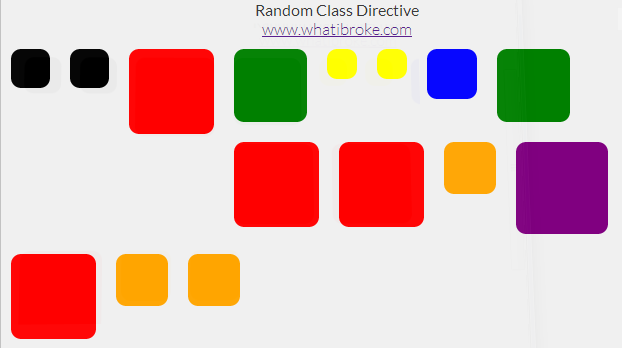
I used this directive to add a random background to each of my wrapper divs:
To use it in your app simply define a list of classes in your controller:
app.controller("MyCtrl", function MyCtrl($scope) {

    /* A random class is picked from this list */
    $scope.classes = [
        //"bg-buildings",
        "red",
        "blue",
        "yellow",
        "green",
        "orange",
        "black",
        "purple"
    ];
});
Then add the directive to your page (can be an existing element):
A random class will then be selected from the list and appended to the elements current list of classes (if any).
The easiest way to see how it’s done is probably just to check out the fiddle above, but there’s a code dump below if you need it:
The Random Class Directive
app.directive("ngRandomClass", function () {
    return {
        restrict: 'EA',
        replace: false,
        scope: {
            ngClasses: "="
        },
        link: function (scope, elem, attr) {

            //Add random background class to selected element
            elem.addClass(scope.ngClasses[Math.floor(Math.random() * (scope.ngClasses.length))]);
        }
    }
});
/*
    http://www.whatibroke.com/?p=899
    Adds a random class to element
    Usage: add ng-random-class to element
*/

var app = angular.module('myApp', []);

app.controller("MyCtrl", function MyCtrl($scope) {

    /* A random class is picked from this list */
    $scope.classes = [
        //"bg-buildings",
        "red",
        "blue",
        "yellow",
        "green",
        "orange",
        "black",
        "purple"
    ];
});
A quick issue I ran into today, my generated migrations weren’t detecting any of the models I’d added – only changes to existing models. Unfortunately the solution was so obvious that it didn’t even come up on Google.
I had forgotten to add the table to the DBContext file… Once this was done it all worked fine.

 What I Broke - Programming and Web Development